Native Multimodality
Understand text, images, video, and other inputs together, keeping characters, scenes, motion, and creative direction in one context so every reference can shape the final frame.
Gemini Omni 1.1 Flash advances multimodal video generation with scene extension, first and last frame control, fast 360p previews, and 4K output for smoother shot continuity and a faster, more controllable creative process.
Gemini Omni 1.1 Flash brings multimodal understanding, world knowledge, and controllable video generation together, with scene extension, first and last frame control, and high-resolution output to connect reference material, shot design, and final footage more naturally.
Understand text, images, video, and other inputs together, keeping characters, scenes, motion, and creative direction in one context so every reference can shape the final frame.
Continue refining characters, environments, shots, or visual details in an existing video without regenerating everything, while preserving the parts that already work.
Apply an understanding of the real world, spatial relationships, and physical behavior to render character movement, object motion, and environmental interaction more naturally.
Continue generating from an existing clip while keeping characters, motion, and scenes coherent, so a shot or story can develop naturally beyond its current ending.
Set the opening and ending frames separately, then direct the movement between them with a prompt for clearer camera paths, scene transitions, and final compositions.
Validate composition, motion, and camera direction quickly at 360p, then generate a higher-resolution version up to 4K for a smoother path from exploration to final delivery.
Gemini Omni 1.1 Flash retains the previous generation's multimodal generation and conversational editing capabilities, while adding video extension, first and last frame control, and more flexible resolution options. Test an idea quickly at 360p, then output the approved result at up to 4K.
| Upgrade | Gemini Omni Flash | Gemini Omni 1.1 Flash |
|---|---|---|
| Video extension | - | Continue from an existing video and extend the scene up to 40 seconds |
| First and last frame control | - | Set the opening and ending frames, then generate continuous motion and transitions between them |
| Resolution control | Standard video output | Fast 360p previews with support for 720p, 1080p, and up to 4K |
Gemini Omni Flash focuses on multimodal video generation and editing. Gemini Omni 1.1 Flash goes further, letting creators continuously control and refine existing results as they move toward the final video.
From combining multiple references and making targeted video edits to designing first-and-last-frame effects and producing high-quality final footage, Gemini Omni 1.1 Flash adapts to different ways of creating video so your assets, prompts, and camera direction all shape the result.
Use separate character and environment images to set the subject, wardrobe, and atmosphere, then combine those references with a prompt to create one coherent cinematic shot.
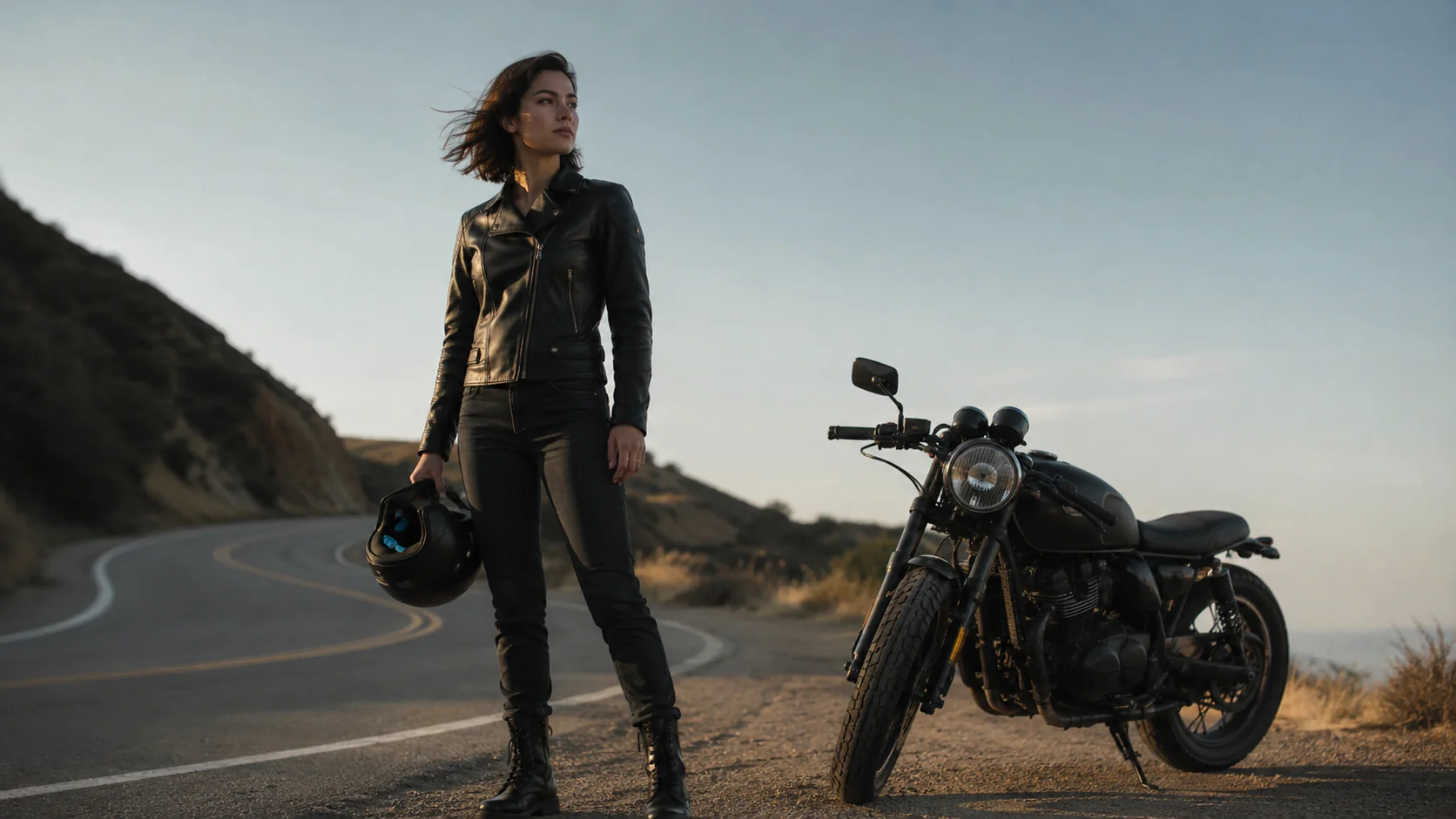 Character reference
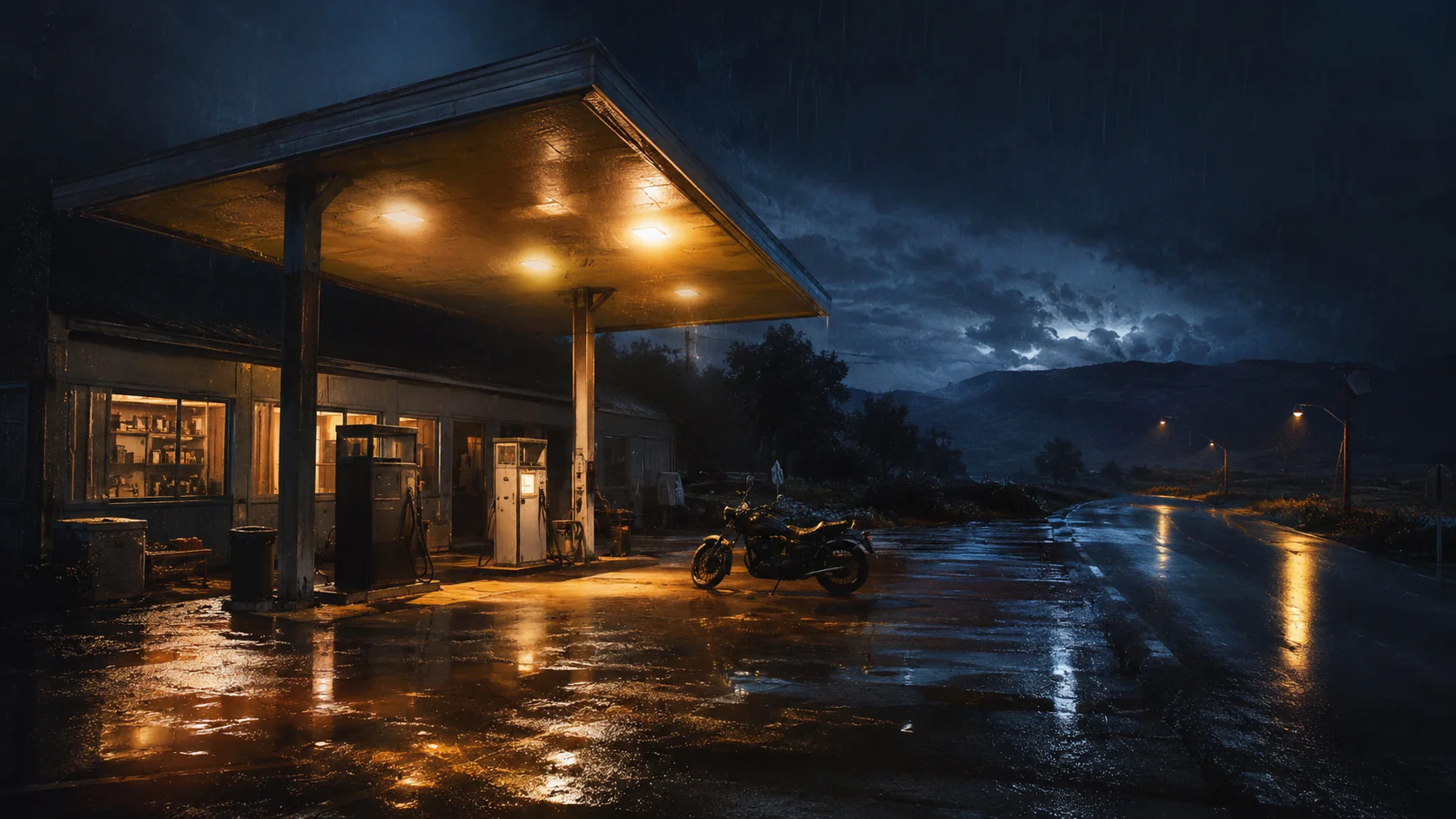 Scene reference
Prompt
Use the woman from the character reference and place her in the rainy roadside gas station. She walks toward the motorcycle, puts on her helmet, and looks down the empty highway. Keep her appearance, clothing, and the environment consistent with slow cinematic camera movement.
Provide an existing video and replace or adjust one specific element with a single instruction while preserving the original composition, light, movement, and camera work.
Prompt
Change only the vase into a deep cobalt-blue glazed ceramic vase with a subtle crackle texture. Keep the artist, pose, studio, lighting, camera angle, and motion unchanged.
Set the opening and closing frames separately, then use a prompt to direct the camera, scene changes, and effects between them so a complex visual sequence reaches the intended ending naturally.
 Start frame
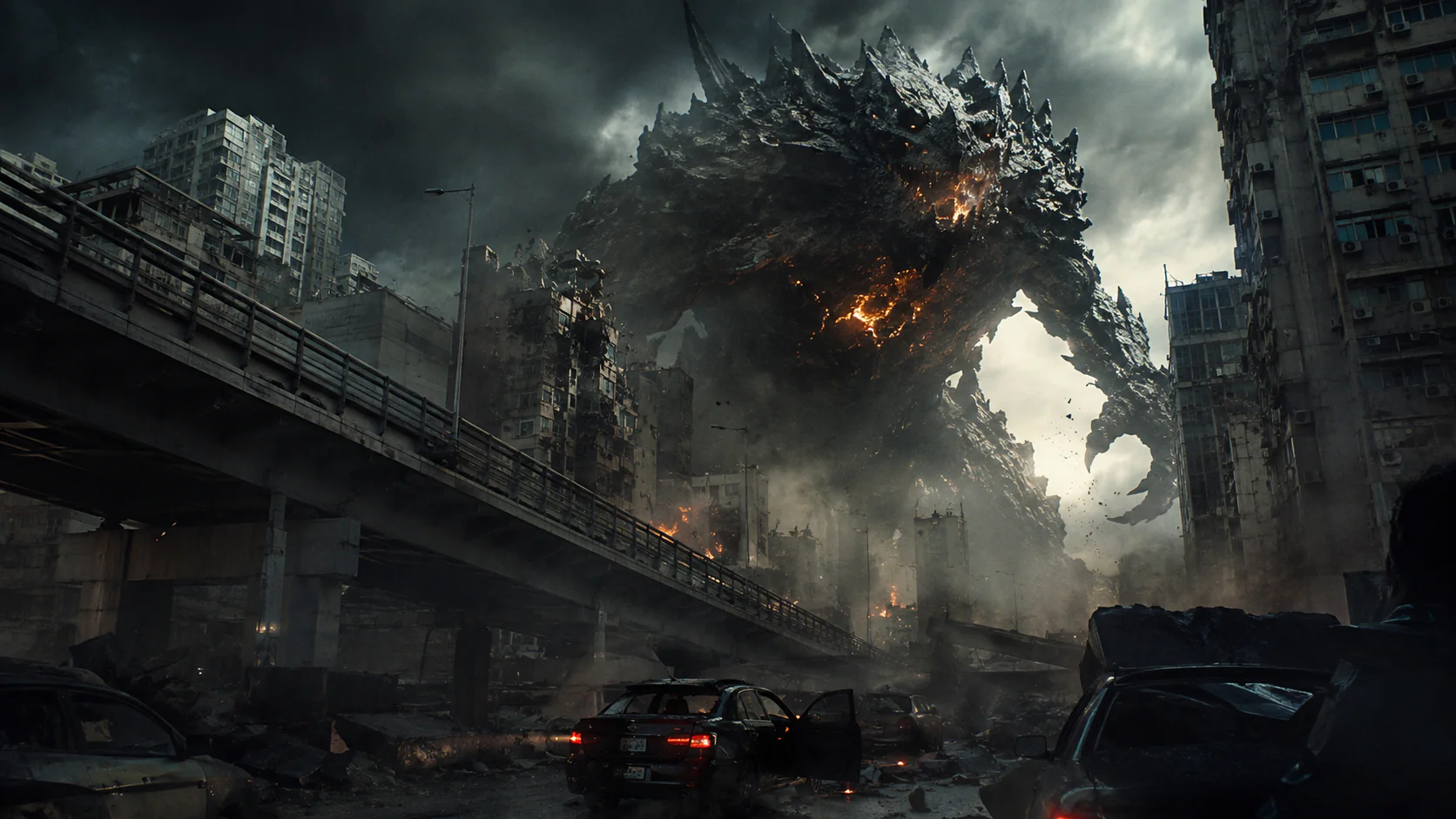 End frame
Prompt
Start from the calm city overpass at dusk and end on the supplied final frame where the giant monster appears between the buildings. Use one continuous push-in shot as traffic stops, tremors shake the scene, and smoke rises before the final reveal.
Test composition, movement, and camera direction quickly at 360p, then generate a higher-resolution version once the shot works, saving more time and budget for the ideas worth finishing.
Prompt
Keep the video unchanged and upscale it to 4K.
Go from an initial idea and reference material to tuned generation settings and a finished video in just a few steps with Gemini Omni 1.1 Flash.
Describe the video you want to create, then optionally add images, video, or first and last frames to guide the character, scene, motion, and camera direction.
Select the aspect ratio, duration, and resolution for the task, then choose standard generation, reference-driven creation, or first-and-last-frame control.
Generate the video, review the result, and adjust the prompt or references as needed. When the shot is ready, choose a higher resolution for the final output.
Choose monthly, annual, or one-time credits for Gemini Omni AI video generation, product videos, ad creatives, social media clips, and image-to-video workflows.
$251.88 / year
Save $106.92 per year
Great for getting started and everyday creative work.
$419.88 / year
Save $178.92 per year
For steady creation, content publishing, and commercial use.
$839.88 / year
Save $358.92 per year
For teams, businesses, and high-frequency creative production.
All prices are in USD. Annual plans are billed annually and credits are granted monthly. Actual credit usage varies by model, resolution, duration, and audio settings.
Learn what the model is best suited for, how to use it, and when to choose each generation mode.
Gemini Omni 1.1 Flash is Google's multimodal AI model for video generation and editing. It can interpret creative direction across text, images, and video, then generate video with audio. It also supports editing, extending, and refining existing results instead of always starting from scratch.